Meet Epwna My Pwnagotchi
Table of Contents
Small beginnings
RP2350… That was the random thing I wanted to know about the Defcon badge that made me fall down a rabbit hole. I learned that the badge provided to attendees was a partnership with RaspberryPi to showcase their new chip, the RP2350. I had wondered how much something like that would have cost me, wondered what it could do. Cut to a few weeks later and I’ve been shopping for a checklist of items ready to build a blackhat Tomagotchi-like device. What started as a look into a RPi chip turned into a project to build a Pwnagotchi.
Meet Epwna
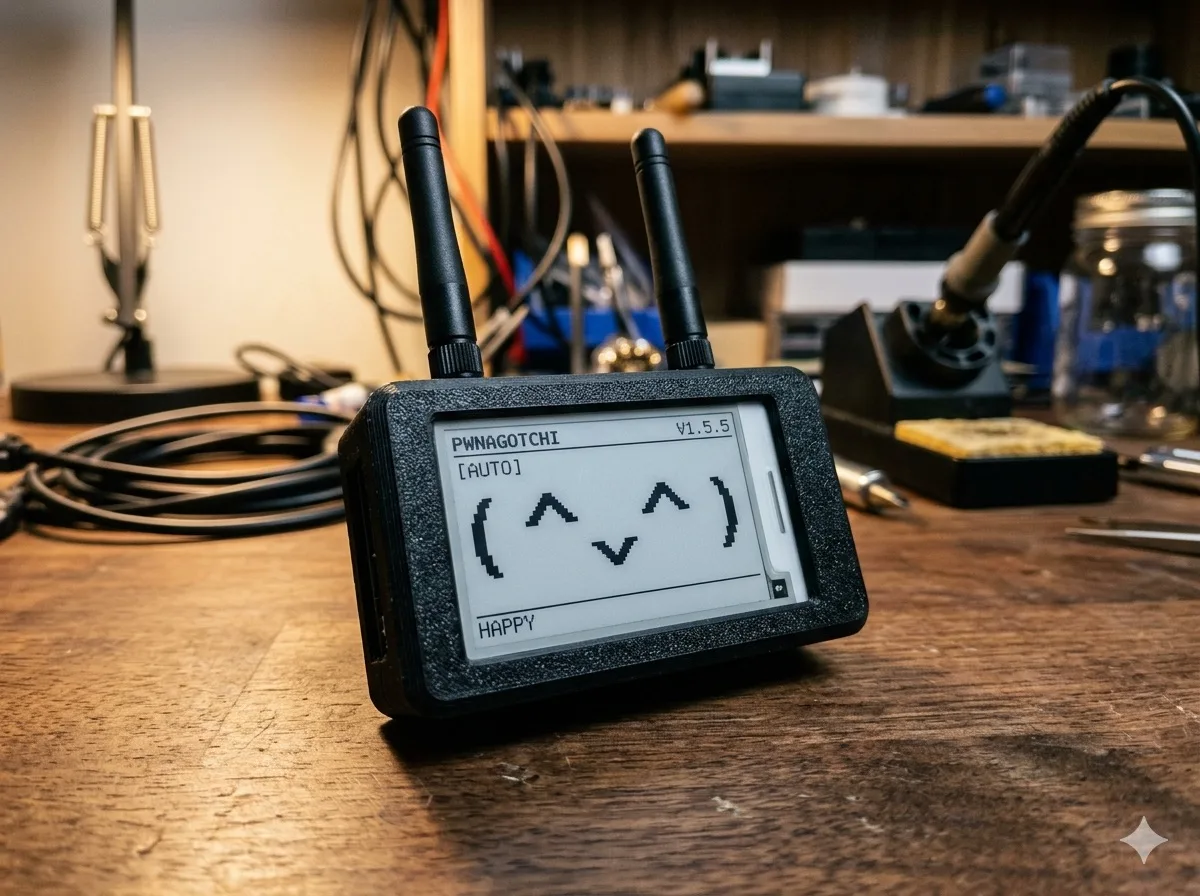
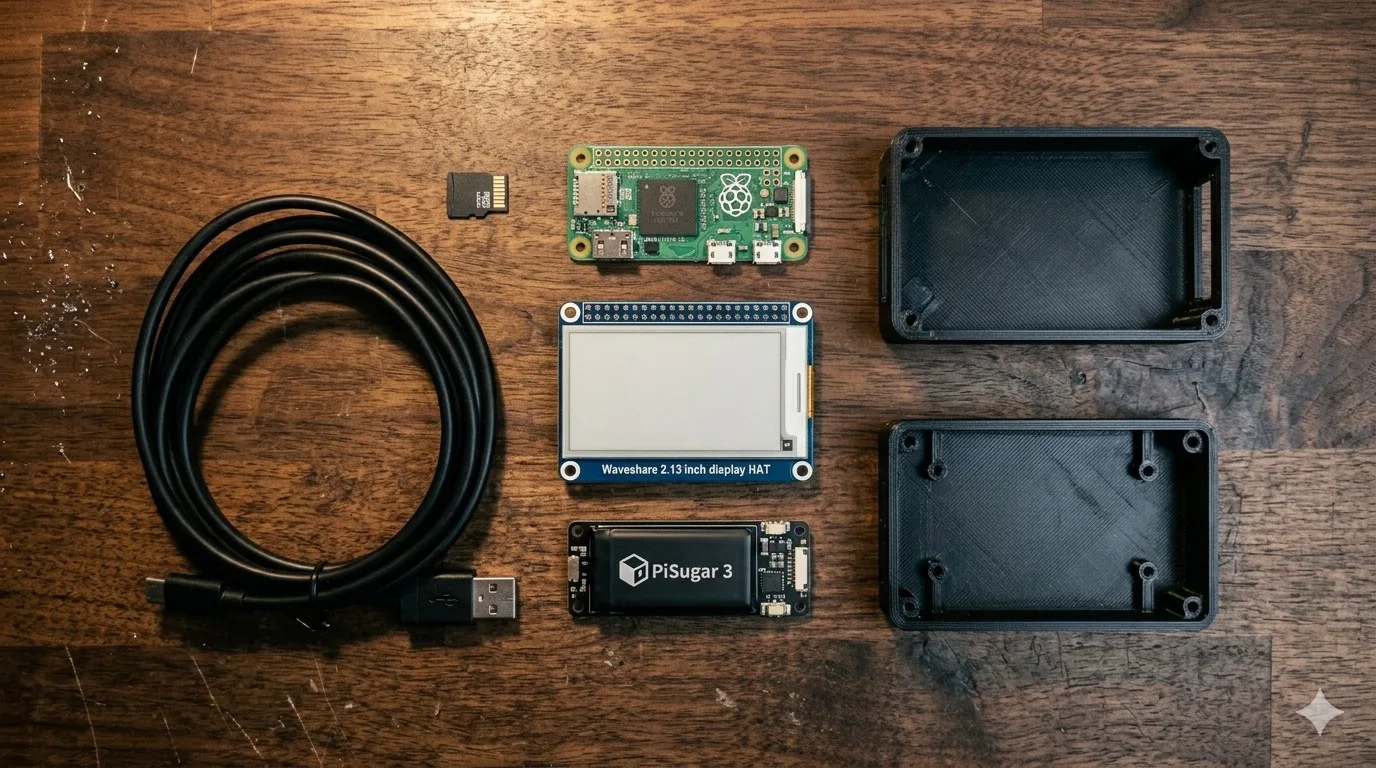
The base build is a RaspberryPi Zero 2 W, PiSugar 3 battery, and a 2.13" e-ink display. I’ve added a 3D printed case to house the components and a few other small modifications. The software is Pwnagotchi, an AI powered pet that feeds on authentications that it captures from nearby WiFi networks. I’ve named my Pwnagotchi Epwna, because it’s dangerous to go alone. If you came for a list of parts/steps, then here’s what I used but you’ve got some flexibility thanks to the community that has built around this project.
The shopping list
- Raspberry Pi Zero 2 W (the original Zero W will work, the 2 W is the upgrade)
- Waveshare 2.13" e-ink display (V3 or V4 hat depending on what’s in stock)
- PiSugar 3 battery with the RTC module
- A decent SD card (the e-ink writes a lot; spring for a faster card and you’ll save yourself some pain)
- 3D printed case (lots of community designs on Printables)
- Pwnagotchi image, flashed with the usual Raspberry Pi Imager
The community is the reason this project is even still alive. Original Pwnagotchi development effectively stopped years ago. The forks (first Jayofelony’s, then a few others) are what keep the thing running on current Pi OS and current display hardware. Pick whichever fork has the most recent commits when you’re building. I started with Jayofelony’s.
What’s actually going on under that little face
Quick crash course, because the marketing copy makes this thing sound more magical than it is.
When a phone or laptop connects to a WPA-protected WiFi network, the two sides perform what’s called a 4-way handshake to derive an encryption key. That handshake gets broadcast over the air in a way that anyone within range can capture by just listening. No traffic injected, no packets sent, nothing the network sees. The capture is the file you want. Later, on a beefy computer with a wordlist, you can try to crack that capture offline; if the password is weak, you win.
That’s the entire premise. Pwnagotchi automates the listening half. Under the hood it’s just driving bettercap to scan the air, hop between channels, and write any handshakes it sees out to disk. The wordlist-and-crack step happens later, on something with more CPU than a Zero 2 W has any business carrying.
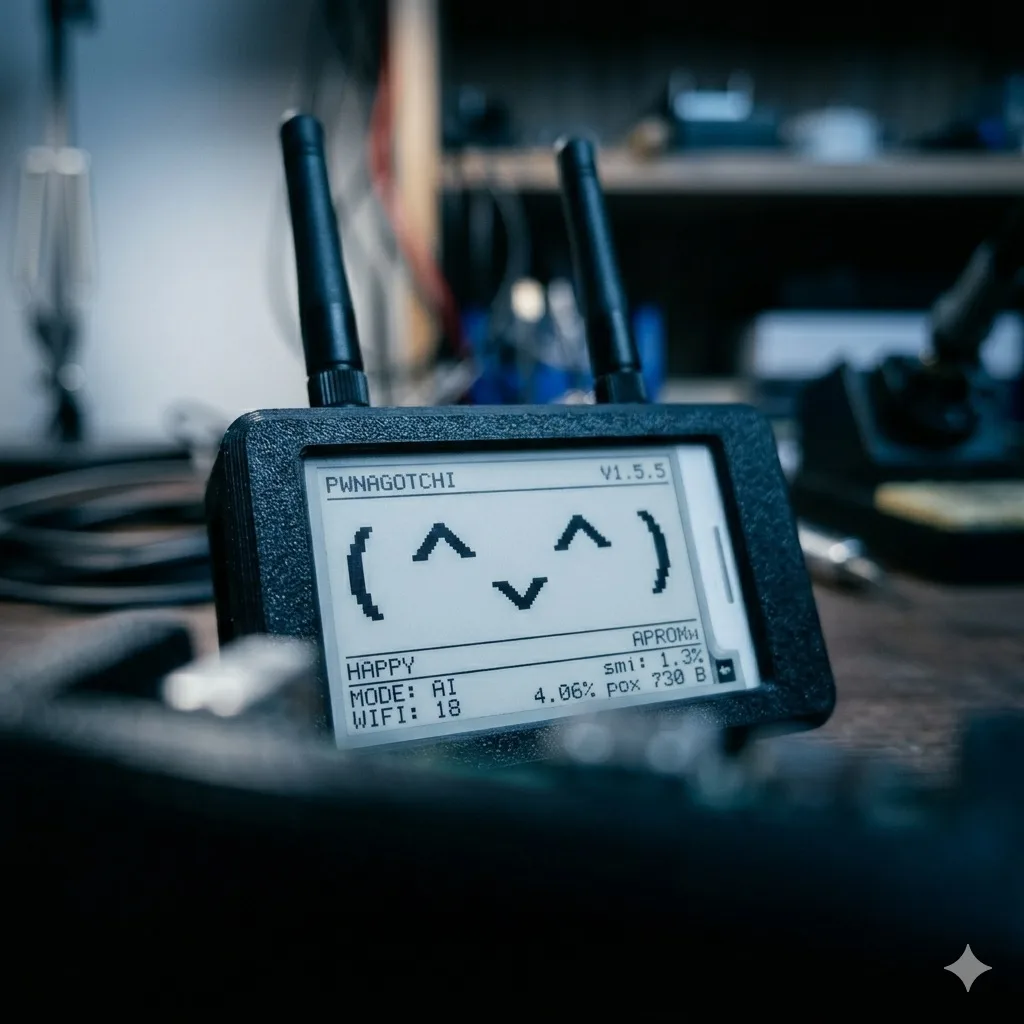
So what does the “AI” actually do? Honest answer: there’s a small reinforcement-learning model that decides which WiFi channels to camp on based on what it’s been seeing. In practice it doesn’t outperform a fixed channel-hop strategy by much, but that’s not really the point. The point is the cute face on the e-ink. The face gets happier when handshakes come in, sadder when it sits in a dead zone. It’s a Tamagotchi for the kind of person who reads packet captures for fun.
Reminder for anyone reading this and getting ideas: only crack handshakes for networks you own or have explicit permission to test. The capture is passive; the cracking is not.
Out in the wild
The first time I took Epwna out, I left her in my bag during a coffee shop work session. Came back two hours later to a face beaming and a fistful of handshakes saved to disk. Was the data useful for anything? No. Did I get a stupid amount of joy out of it? Absolutely.
The fun ramps up when you find other people running them. Pwnagotchis have a peer-to-peer mode where they “talk” to each other when in range. They exchange a couple frames, share how many handshakes each has collected, and quietly bump their internal stats. At a security conference, that side conversation between strangers’ devices becomes its own little party trick. You don’t even have to know whose Pwnagotchi just said hi to yours.
I ended up walking a couple friends through builds of their own (somewhere out there, “Pwnitsu” and “Huey” are still running). Once you’ve done the assembly once, the second one takes maybe an hour. The Pwnagotchi community Discord is full of this energy: people sharing screenshots of their faces, debugging weird e-ink refresh glitches, swapping STL files for cases. If you build one, the social layer is half the value.
Why the heyday is over
Here’s the part the marketing won’t tell you: this whole approach is increasingly obsolete.
Two things changed. First, PMKID attacks (discovered in 2018, mainstream by 2020) made the whole “wait for a client to associate” model unnecessary. You can request the same key material directly from the access point in a single packet, no client needed, no waiting around in a coffee shop. Tools like hcxdumptool on a laptop will run circles around any Pwnagotchi for real audits.
Second, WPA3 has been quietly taking over. Modern routers ship WPA3 by default, and WPA3 swaps the old 4-way handshake for Simultaneous Authentication of Equals (SAE), which resists the offline cracking that made captured handshakes useful in the first place. You can still capture, but the value of the capture drops a lot.
So the honest answer in 2024 is this: Pwnagotchi is a beautiful learning project and a fun party device, but it’s not the tool you’d reach for if you actually needed to audit a wireless network. My Hak5 Pager has been picking up that role lately (a different toy, and a different post).
Why you should still build one
Don’t let any of that put you off, though. The reason to do this build isn’t to become a WiFi assassin. The reason is:
- You touch real Raspberry Pi hardware and learn how a battery HAT actually negotiates power
- You fight a 3D printer and end up with an enclosure you actually printed
- You flash and re-flash an SD card a dozen times learning what a clean Pi OS install actually looks like
- You read bettercap configs and start to grok how a real network-attack tool is wired together
- You stare at handshake files in Wireshark trying to figure out why the EAPOL frames look weird this time
- You join a community of weirdos who are excited about all the same nonsense
That’s a stack of skills worth having, packaged into a single thing that fits in your pocket and has a cute face. I wouldn’t trade the rabbit hole for anything, and I’d build another one tomorrow if a friend wanted to learn the same things.
What I’d change next time
- Skip the PiSugar 3 if your enclosure has the room. The larger PiJuice gives noticeably better runtime.
- Get the e-ink display from a vendor that ships within a week. The Aliexpress knockoffs work, but the lead time is brutal.
- Pick the fork before buying parts. Some forks support newer displays the original never did, and that drives display choice.
- Print the case in PETG if you can. PLA softens in summer heat and you’ll regret it.
If you build one, the community Discord and the various forks’ README files are your friends. The original docs are mostly accurate but increasingly dated, and the active dev energy lives in the forks now.
That’s Epwna. She lives on a shelf next to the Hak5 Pager these days, but maybe I’ll dust her off this winter and let her catch a few more handshakes at the next con.